


![Falcon Chair Office Chairs Falcon Chair [Free Footrest Worth $150] Ergoworks](http://ergoworks.com.sg/cdn/shop/files/Falcon_A.png?v=1786502358&width=104)


![Ergoworks Dual Benching Electric Desk [Customizable] Dual Benching Electric Desk Ergoworks](http://ergoworks.com.sg/cdn/shop/files/EW-0223H-2.jpg?v=1778755296&width=104)





![Impact Junior Desk Chair Set Impact Ergonomic Kids Desk & Chair Set [Chair & Length Options Available] Ergoworks](http://ergoworks.com.sg/cdn/shop/files/KidDeskMainImageFinal.png?v=1778618207&width=104)
![Impact Junior Desk Chair Set Impact Ergonomic Kids Desk & Chair Set [Chair & Length Options Available] Ergoworks](http://ergoworks.com.sg/cdn/shop/files/gray_ff76a24f-26d1-469b-b2d5-0013d4a950d7.jpg?v=1785487301&width=104)

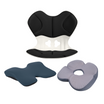
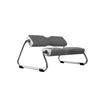
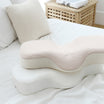
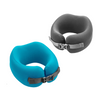




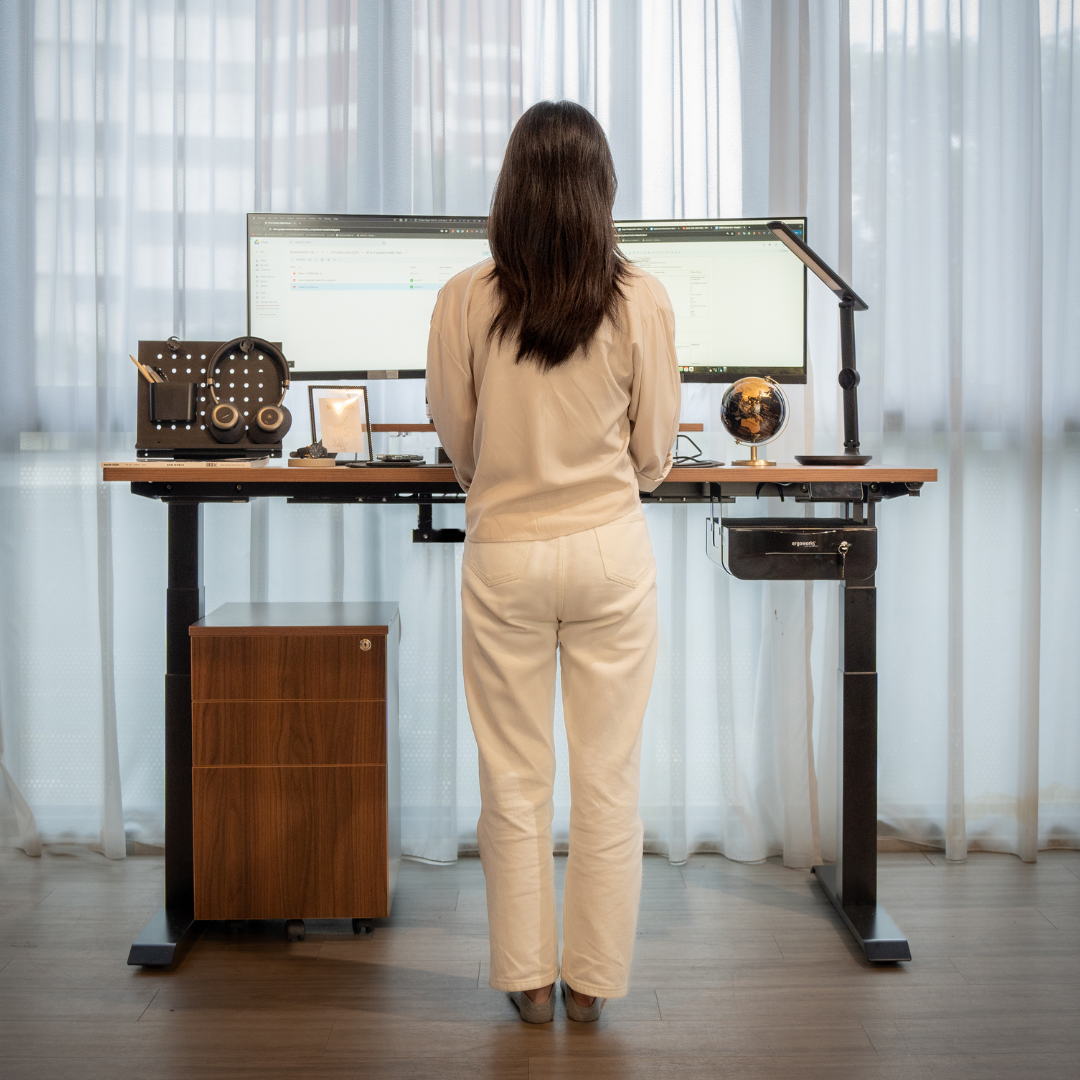
Long hours at a desk can lead to back pain, shoulder stiffness, and other forms of discomfort when your workspace is not set up correctly. Adjustments like correcting your standing desk height or switching to an adjustable electric table can make a significant difference in how your body feels throughout the day. Many people turn to ergonomic products from Ergoworks to help create a setup that better supports long work hours.
To help you understand how these changes work together, this article explores key ergonomic solutions that promote a healthier and more comfortable workspace.
Key Takeaways
-
Proper ergonomic setup reduces common discomforts by supporting natural posture in both sitting and standing positions.
-
Choosing the right ergonomic tools depends on your work habits, areas of discomfort, and the level of adjustability you need.
-
Accessories such as lumbar pillows, monitor arms, and footrests help fine-tune your workstation for better comfort.
-
Adjustable equipment, including electric tables and correct standing desk height settings, makes it easier to maintain healthy alignment throughout the day.
-
Recognising signs such as persistent discomfort or difficulty maintaining posture can indicate when it is time to upgrade your workspace with better ergonomic solutions.
How to Choose the Right Ergonomic Solutions
With the benefits of ergonomic support in mind, the next step is identifying which tools suit your daily routine. A clear understanding of your work habits and common pressure points makes it easier to select items that genuinely improve comfort. Use the checklist below as a practical guide when choosing solutions that fit your needs and workspace.
Ergonomic Checklist
-
Start with Ergonomic Design: Choose products that follow established ergonomic principles and support neutral posture. This ensures each item contributes to healthier alignment and long-term comfort.
-
Look for High-Quality Materials: Durable frames, breathable backrests, and supportive cushioning help maintain comfort throughout the day and ensure the product lasts over time.
-
Prioritise Adjustability: Opt for items with adjustable features, such as chair height, lumbar depth, armrest positioning, or standing desk height. The ability to fine-tune your setup helps you achieve the most comfortable and personalised fit.
-
Match the Product to Your Work Habits: Consider how long you sit or stand, the type of tasks you do, and whether you shift between devices. Different routines may benefit from different ergonomic tools.
-
Identify Your Key Discomfort Areas: Lower back pressure, neck strain, or wrist fatigue can help guide which products to prioritise, whether it is a back pillow, electric table, footrest, or monitor arm.
-
Evaluate Your Workspace Size: Small spaces may need compact chairs or slim desks, while larger rooms can accommodate full ergonomic setups with more accessories.
-
Think About Long-Term Use: Select solutions that will continue to support your body even as your work habits change. Products with broad adjustment ranges often offer better long-term value.
Additional Ergonomic Accessories to Consider
Beyond core ergonomic furniture, certain accessories can enhance comfort and help you maintain better posture throughout the day.
-
Lumbar Back Pillows: These provide targeted lower back support and help you maintain a natural spine curve during long periods of sitting.
-
Adjustable Monitor Arms: Monitor arms allow you to position your screen at the ideal height and distance, reducing strain on your neck, shoulders, and eyes.
-
Footrests: A supportive footrest encourages proper leg positioning and reduces pressure on the lower back, which can make long work sessions more comfortable.
Common Ergonomic Problems and How to Fix Them

Even with a well-planned workspace, small misalignments can cause discomfort over time. Understanding these common issues helps you make simple adjustments that improve posture, reduce strain, and create a more supportive setup.
1. Screen Positioned Too Low or Too High
A screen that sits too low encourages you to tilt your head downward, while a screen that is too high can strain your neck.
How to fix it:
-
Adjust the monitor so the top third of the screen is level with your eyes.
-
Use an adjustable monitor arm to fine-tune the height, angle, and distance.
-
For laptop users, use a stand and external keyboard for a healthier viewing height.
2. Incorrect Standing Desk Height
Using a standing desk at the wrong height can cause shoulder tension or wrist discomfort. If the desk is too high, your shoulders lift. If it is too low, you may lean forward or bend your wrists.
How to fix it:
-
Set your standing desk height so your elbows stay close to a 90-degree angle while typing.
-
Keep your forearms parallel to the floor and your shoulders relaxed.
-
Adjust the height whenever you switch between tasks that require different positions.
3. Chair Height Not Suited to Your Body
A chair that is too high leaves your feet unsupported, while a chair that is too low pushes your knees upward. Both positions affect overall posture.
How to fix it:
-
Adjust your chair so your feet are flat on the floor and your knees align roughly at a right angle.
-
If this alignment conflicts with your desk height, pair your setup with a footrest for more support.
4. Lack of Lumbar Support
Without proper lumbar support, the lower back tends to round forward. This creates tension in the back and hips.
How to fix it:
-
Add a lumbar back pillow to maintain the spine’s natural curve.
-
Keep your back fully supported by the backrest.
-
Avoid leaning or sliding forward on your seat.
5. Desk Height Causing Shoulder or Wrist Strain
A desk that cannot be adjusted often forces the body into awkward angles, especially for long computer sessions.
How to fix it:
-
Choose a desk or an electric table with height adjustment so you can position your workspace correctly while sitting or standing.
-
Aim to keep your wrists straight and elbows close to your body.
Position the desk so your shoulders can remain relaxed and not hunched.
6. Keyboard and Mouse Too Far Away
Overreaching for your keyboard or mouse pulls your shoulders forward and strains your upper back.
How to fix it:
-
Place your keyboard and mouse close enough that your elbows stay relaxed at your sides.
-
Keep your wrists in a neutral position to avoid pressure.
7. Sitting for Long Periods Without Movement
Remaining in one position for hours reduces circulation and increases muscle stiffness.
How to fix it:
-
If you have an adjustable desk or electric table, alternate between sitting and standing throughout the day.
-
Take short stretches or movement breaks every 30 to 60 minutes.
-
Reset your posture regularly to avoid slouching.
Ergonomic Solutions for Different Work Environments
Different work settings come with different challenges. The right ergonomic solutions depend on how much space you have, the type of work you do, and how often you change locations. Below are recommendations tailored to common environments.
Home Office
Many home workspaces are limited in space or shared with other household areas.
Helpful solutions:
-
Compact electric table or standing desk
-
Ergonomic chair with adjustable support
-
Monitor arm for flexible positioning
-
Footrest for improved leg comfort
These items help you maintain proper alignment even in smaller or multi-purpose rooms.
Corporate Office
Traditional office setups often include standard desks, shared equipment, and long hours at a workstation.
Helpful solutions:
-
Adjustable chair with lumbar support
-
Monitor arm to customise screen height
-
Back pillow for added support
-
Desk accessories to personalise workstation height and reach
Hybrid or Hot-Desking Environments
If you move between locations, your setup needs to be flexible and portable.
Helpful solutions:
-
Portable laptop stand
-
Lightweight lumbar pillow
-
External keyboard and mouse
-
Adjustable monitor arms in shared workstations
These allow you to adapt quickly to any desk or seating arrangement.
Small Workspaces
Limited space requires compact and multifunctional tools.
Helpful solutions:
-
Slim standing desk or electric table
-
Foldable footrest
-
Low-profile backrest or lumbar support
These help you achieve proper posture without crowding your room.
Standing-Only Workstations
Some roles require standing for long periods.
Helpful solutions:
-
Anti-fatigue mat
-
Height-adjustable standing desk
-
Monitor arm for eye-level viewing
Proper height and cushioning prevent strain in the legs and lower back.
Signs You Should Upgrade Your Workspace
Even a well-used setup can become uncomfortable over time. If you experience any of the signs below, it may be time to reconsider your workstation arrangement or equipment.
-
Persistent Discomfort: Regular back, shoulder, wrist, or neck discomfort suggests your workstation is not supporting your posture. This may be due to incorrect desk height, poor lumbar support, or a chair that no longer fits your needs.
-
Difficulty Maintaining Good Posture: If you frequently slouch, lean forward, or sit on the edge of your chair, your current setup may not be providing the support needed to maintain neutral posture.
-
Frequent Fidgeting or Fatigue: Constant shifting or early-onset fatigue during the workday often means your chair height, desk height, or screen position is misaligned.
-
Limited Adjustability: If your current desk or chair cannot be adjusted to match your height or work preferences, upgrading to equipment like an electric table, adjustable chair, or monitor arm can help restore proper alignment.
-
Workspace Feels Cluttered or Restrictive: A cramped or disorganised setup can prevent you from positioning your equipment correctly. Accessories such as monitor arms, compact desks, or footrests can help maximise space.
-
Increasing Work Hours: If your workday has become longer, your old setup may no longer provide the level of comfort needed for extended use. Adding or upgrading ergonomic tools can help maintain comfort over time.
Ergoworks' Top Ergonomic Recommendations
If you recognise any of the signs mentioned earlier, exploring reliable ergonomic tools can help restore comfort and proper alignment. Below are some of the top ergonomic recommendations available from Ergoworks.
Back Pillow (ERGOWORKS - EW-PPBL - Perfect Posture Backrest L)

The Perfect Posture Backrest L is a lightweight, portable lumbar support cushion designed to mould to your body for personalised comfort. Its orthopaedic shape reduces pressure on the lower back, helping to improve posture, ease discomfort, and promote better circulation during long periods of sitting. Suitable for use on office chairs, desk chairs, cars, wheelchairs, and recliners, it offers versatile support across different seating environments. Made with a polyester cover and a polyurethane cushion body, it measures 41 x 41 x 10 cm and weighs 1 kg.
Standing Desk (Majestic Standing Desk, MFC Tabletop)

The Majestic Standing Desk, built with a strong MFC tabletop and a load capacity of up to 240 kg, offers smooth height adjustments that support proper ergonomic alignment throughout the workday. Its anti-collision 3.0 safety feature enhances usability, while the sturdy frame ensures long-term stability for a wide range of tasks.
Designed for both style and performance, the desk is available in multiple tabletop colours and frame options, making it easy to match different workspace aesthetics. Ideal for larger setups that seat four or more, it provides a reliable and adaptable foundation for a productive, comfortable workstation.
Bonus Tip: Ergonomic Sitting and Standing Posture Guide
|
Posture Element |
Ideal Sitting Position |
Ideal Standing Position |
|
Desk Height |
Elbows at 90°, wrists neutral |
Elbows at 90°, shoulders relaxed |
|
Monitor Height |
Eye level with top third of screen |
Same eye-level rule applies |
|
Foot Position |
Feet flat or on footrest |
Weight evenly distributed, feet hip-width apart |
|
Back Alignment |
Lumbar curve supported |
Spine tall, avoid leaning on desk |
|
Break Frequency |
Stand every 30–60 minutes |
Sit every 30–60 minutes |
Ergoworks' Commitment to Workplace Wellness
Ergoworks is committed to meeting the evolving needs of today's workforce. As Singapore's leading provider of ergonomic products, Ergoworks offer a wide selection designed to enhance workplace wellness. Whether you're in need of back pillows, ergonomic workstations, or stand-up desks,
Ergoworks provides solutions to create a healthier and more productive work environment. Invest in your health, comfort, and overall productivity with essential ergonomic solutions from Ergoworks, a trusted office furniture store in Singapore.
Explore our full range of products today and transform your workspace into a haven of comfort and well-being!
Frequently Asked Questions
How often should I alternate between sitting and standing when using a standing desk?
Most experts recommend switching positions every 30 to 60 minutes. Short, frequent changes help reduce stiffness and encourage better circulation compared to staying in a single posture for long periods.
Do ergonomic accessories work even if I have a small workspace?
Yes. Compact tools such as monitor arms, slim backrests, footrests, and portable laptop stands can significantly improve alignment without taking up much room. Small adjustments still create noticeable comfort benefits.
Can ergonomic products help if I use multiple screens?
They can. Using dual monitor arms allows you to position each screen at the correct height and distance, reducing neck rotation and eye strain when switching between displays.
What is the ideal distance between my eyes and my monitor?
A general guideline is to place the screen at about an arm’s length away. This distance helps maintain a comfortable viewing angle and prevents unnecessary leaning or squinting.
Do I need a fully adjustable chair if I already have an electric table?
While an electric table helps with desk height, an adjustable chair still plays a key role in supporting the lower back, promoting proper hip alignment, and keeping your posture stable when sitting.


Leave a comment
This site is protected by hCaptcha and the hCaptcha Privacy Policy and Terms of Service apply.