


![Falcon Chair Office Chairs Falcon Chair [Free Footrest Worth $150] Ergoworks](http://ergoworks.com.sg/cdn/shop/files/Falcon_A.png?v=1786502358&width=104)


![Ergoworks Dual Benching Electric Desk [Customizable] Dual Benching Electric Desk Ergoworks](http://ergoworks.com.sg/cdn/shop/files/EW-0223H-2.jpg?v=1778755296&width=104)





![Impact Junior Desk Chair Set Impact Ergonomic Kids Desk & Chair Set [Chair & Length Options Available] Ergoworks](http://ergoworks.com.sg/cdn/shop/files/KidDeskMainImageFinal.png?v=1778618207&width=104)
![Impact Junior Desk Chair Set Impact Ergonomic Kids Desk & Chair Set [Chair & Length Options Available] Ergoworks](http://ergoworks.com.sg/cdn/shop/files/gray_ff76a24f-26d1-469b-b2d5-0013d4a950d7.jpg?v=1785487301&width=104)






Key Takeaways
-
A workspace that feels comfortable at the start of the day may gradually feel less supportive as tasks and positioning shift over time.
-
Repeated small movements, such as leaning or reaching for items placed differently, can quietly become default habits without clear awareness.
-
Switching between tasks and adjusting how you interact with items on your desk subtly changes how your body positions itself.
-
Paying attention to how your posture and reach change across the day helps you make more targeted adjustments for consistent comfort.
Introduction
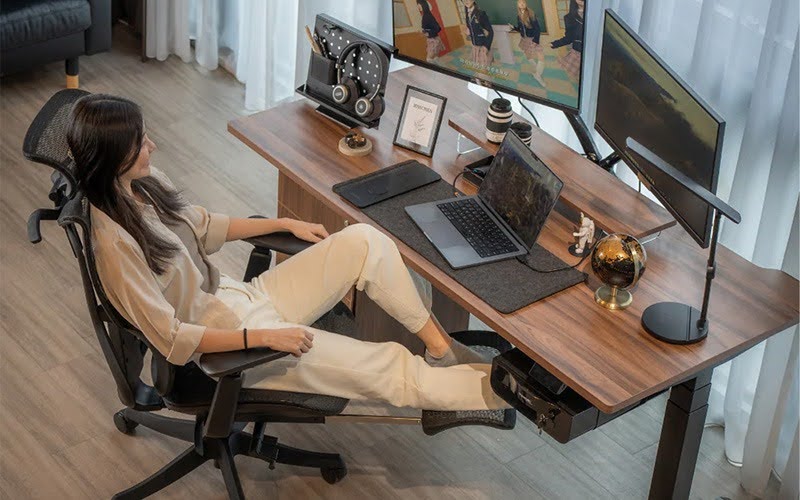
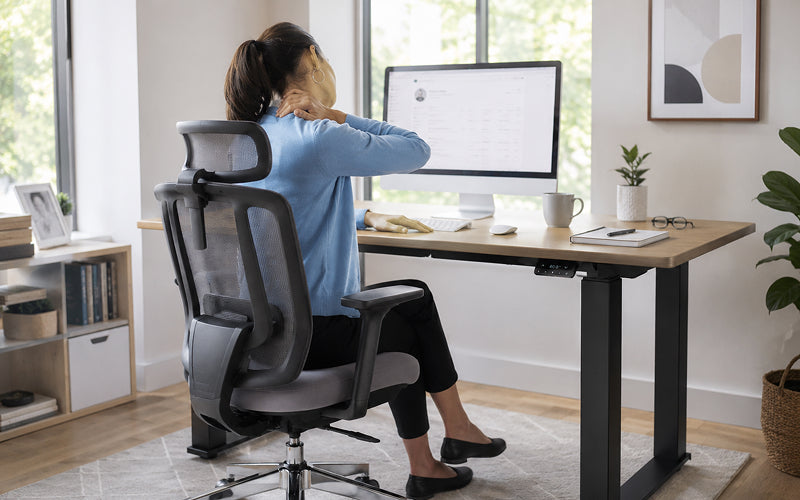
Why does a chair that felt perfect at 9:00 AM feel uncomfortable by 4:00 PM? Most of us set our desk once and assume the job is done. But as the day progresses, habit drift sets in: we lean closer to our screens, our shoulders begin to shrug, and our posture slowly collapses. At Ergoworks, we have observed that the secret to lasting comfort isn’t just a one-time setup—it’s understanding how your body moves through the workday.
Desk setups are often evaluated at a single moment, typically when a chair height is adjusted or a screen is aligned. In reality, desk ergonomics is not experienced in a fixed position. Across a typical workday in Singapore, people move between tasks, devices, and levels of focus. To address this, simple interventions like adjusting desk height or reorganising frequently used items can help maintain alignment throughout the day.
How Habit Drifts Quietly Develops As The Day Progresses
One of the most overlooked factors is how habit drift in desk use develops quietly over time. What begins as a temporary adjustment, such as leaning forward to read or shifting slightly to reach for an item, can become a repeated behaviour. Throughout the day, these positions often start to feel natural, even though they differ from the original setup. This gradual shift highlights how proper desk ergonomics can be disrupted if habits are not monitored.
To counteract this, consider scheduling micro-breaks every 30–45 minutes to reset posture, stretch, and reposition items within easy reach. Using visual reminders or phone alarms can reinforce this habit and prevent small shifts from becoming default positions, ensuring that desk ergonomics remains effective throughout the day.
Employees may not notice these adjustments while moving between tasks such as checking emails, preparing reports, or monitoring multiple screens at home or in the office. By consciously checking posture and resetting your seating, you can maintain alignment, support good desk ergonomics, and reduce long-term strain.
Why Changing Tasks Pulls the Body Into New Positions
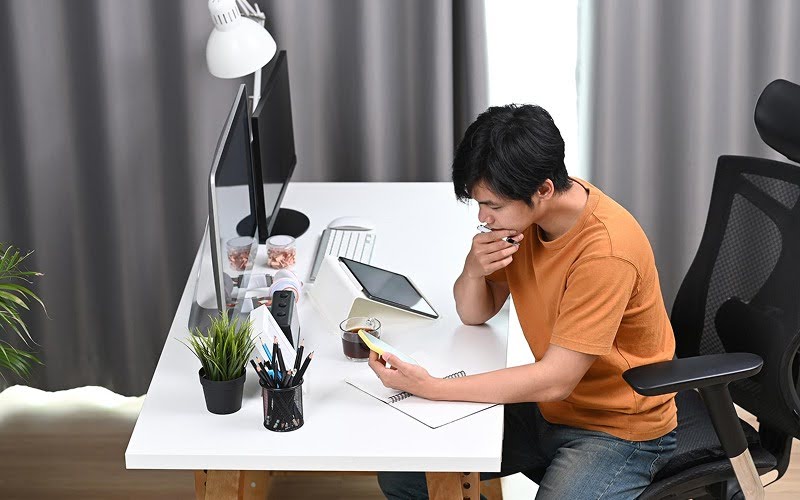
Changing tasks naturally introduces variation in posture. Typing, reviewing documents, attending virtual meetings, and using mobile devices each encourage different sitting positions. Notice how your posture changes when you switch between a laptop, phone, or documents during the day. This reflects task-driven sitting behaviour, where the body adjusts to match each activity without deliberate correction.
A practical solution is to arrange tasks so that high-reach or high-focus activities alternate with low-impact tasks. Adjust screen height, chair angle, and keyboard placement when switching between activities to reduce strain. Using accessories like document holders or phone stands can also help maintain neutral posture throughout task transitions.
Small adjustments, such as turning to reach a document or switching between screens, can accumulate unnoticed and subtly alter posture. With well-designed ergonomic office furniture, posture can shift as attention moves between tasks, making it harder to maintain consistent alignment throughout the day.
What Happens When Reach Patterns Expand And Contract Throughout The Day
Reach distances also evolve as work routines shift. As items are added, removed, or repositioned, users unconsciously extend or shorten their reach. These changing desk reach patterns influence shoulder and torso positioning, especially when repeated over extended periods. A document placed slightly further away, or a device positioned off-centre, may seem minor, but these incremental changes gradually reshape how the body interacts with the desk.
To address this, organise your desk so that frequently used items are within easy reach. Place devices, notebooks, and stationery strategically to minimise unnecessary movement. Consider using a height-adjustable desk to modify reach distances when alternating between tasks. These small adjustments help reduce fatigue and maintain consistent support.
Symptoms Vs. Solutions: Quick Resets For Common Workday Changes
For a quick reset, it helps to connect what you feel with the habit that may be contributing to it. The table below outlines common workday signals, the possible habit drift behind them, and simple adjustments that can help you return to a more supported position.
|
What You’re Feeling (Symptom) |
The Habit Drift (Cause) |
The Ergoworks Reset (Solution) |
|
Tightness in the upper back and neck. |
The "Monitor Lean": Leaning forward to read small text as eyes tire. |
Adjust your monitor arm to bring the screen closer, or increase your font size. |
|
Dull ache in the lower back. |
The "Perch": Sliding to the edge of the seat and losing lumbar contact. |
Slide your hips back until they touch the chair’s backrest and engage the lumbar support. |
|
Shoulder tension or "shrugging." |
The "Keyboard Stretch": Reaching too far forward for the keyboard or mouse. |
Pull your keyboard back into your "neutral zone" and adjust your height-adjustable desk so your elbows are at 90°. |
|
Numbness in the legs or feet. |
The "Ankle Cross": Crossing legs or tucking feet under the chair for "comfort." |
Place feet flat on the floor or use an ergonomic footrest to improve circulation. |
Why Comfort Can Mask Gradual Imbalance
Comfort can make these changes harder to recognise. Many of these adjustments feel manageable in the moment, which is why they often go unnoticed. A slightly leaned posture or a rotated sitting position may not cause immediate discomfort. Over time, the body adapts quietly, creating a noticeable difference between intended posture and actual posture.
Solutions include incorporating short posture checks, ergonomic chair adjustments, and lumbar support for home or office setups. Simple stretches targeting the neck, shoulders, and back can counteract the subtle postural changes that occur throughout the day. At this stage, desk ergonomics focuses less on visible alignment and more on sustained behavioural adaptation, reflecting how daily use shapes posture throughout the day.
How Understanding Daily Use Patterns Supports Better Ergonomic Decisions

Recognising how desk use evolves across different moments of work provides a more realistic approach to workspace setup. A configuration that feels supportive in the morning may not offer the same level of comfort later on. This highlights the importance of flexibility in supporting how your body moves throughout the day. Solutions such as adjustable accessories, including monitor arms, allow users to respond more effectively to these shifts.
Rather than relying on a single ideal position, desk ergonomics becomes an ongoing process of adjustment that reflects real daily behaviour. For example, employees who alternate between typing and reviewing documents on laptops can reposition screens, adjust chair height, or use document holders to maintain neutral posture.
This philosophy is increasingly reflected in how ergonomic solutions are designed today, focusing on adaptability and sustained comfort rather than fixed positioning. As a provider of ergonomic and posture-focused solutions in Singapore, Ergoworks supports this approach by offering thoughtfully developed products and guidance that align with real work patterns, helping individuals and organisations maintain comfort consistently throughout the day.
Conclusion
Improving your workspace begins with understanding how it is used across different moments of the day. Notice how items move, how your posture shifts between tasks, and when subtle strain appears. Observing these patterns helps you introduce small, meaningful adjustments that enhance comfort consistently, reflecting a practical understanding of desk ergonomics, where comfort is shaped by daily behaviours rather than a one-time setup.
Explore our range of ergonomic solutions designed to support how your workspace evolves throughout the day, and find a setup that helps you observe and adjust your posture for consistent comfort from morning to evening. By following these strategies and using adaptable ergonomic tools, you can actively maintain alignment, reduce strain, and improve your posture throughout every workday.

Leave a comment
This site is protected by hCaptcha and the hCaptcha Privacy Policy and Terms of Service apply.